Designing with Pink: A Modern Powerpoint Template for Creatives
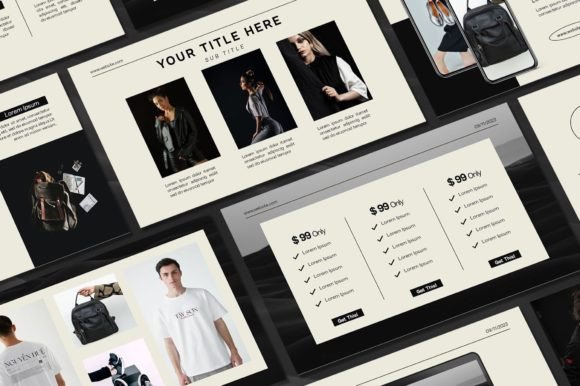
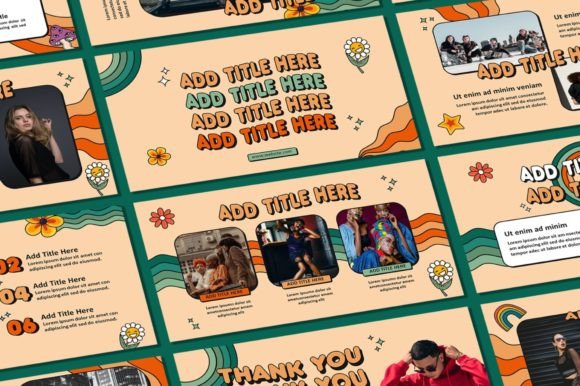
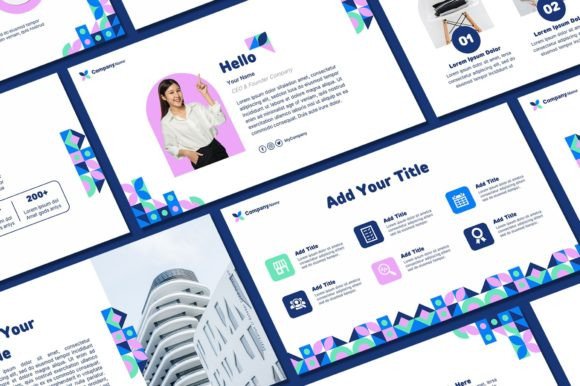
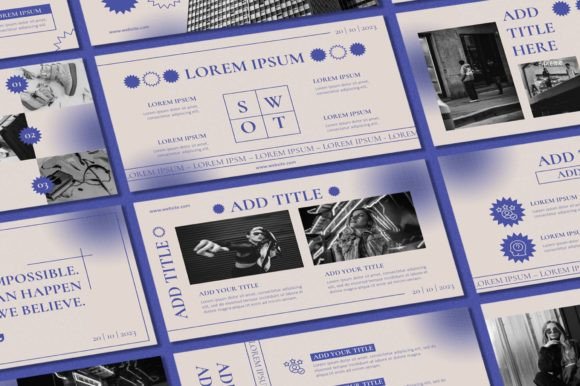
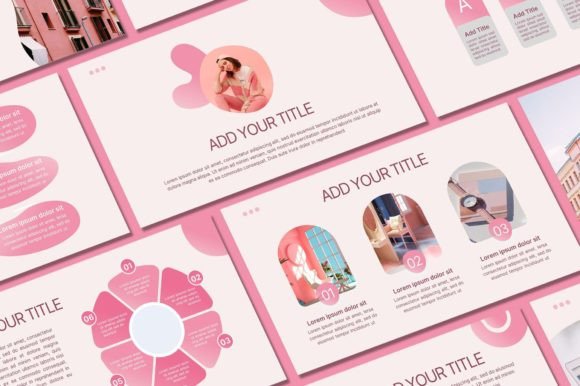
There’s a moment in every project where the visuals either click into place or they don’t. You’ve got the content, the strategy, the message—but the presentation feels flat. Maybe it’s too corporate, too sterile, or just doesn’t reflect the energy you want to convey. That’s where a thoughtfully designed template changes everything. The Pink Powerpoint Template from Sky Creation isn’t just another slide deck; it’s a flexible design system built for people who care about how their ideas look and feel when they reach an audience.
More Than Just a Color Scheme
Pink gets a bad rap sometimes. People associate it with one aesthetic—soft, feminine, maybe even juvenile. But pink is one of the most versatile colors in modern design. It can be bold and electric, muted and sophisticated, warm and inviting, or cool and contemporary. This template leans into that range. It uses pink not as a gimmick but as a foundational color that can be shifted, adjusted, and paired with other tones to match virtually any brand personality.
What makes this particular set of slides work is the balance. There’s enough visual interest to keep things dynamic—clean layouts, thoughtful whitespace, and a mix of content arrangements—but it never overwhelms. The design stays out of the way so your message stays front and center. Whether you’re putting together a pitch deck for investors, a workshop for clients, or a portfolio for potential collaborators, the structure supports your content without competing with it.
Who Is This Template Actually For?
If you’re a small business owner trying to look polished without hiring a designer for every presentation, this is built for you. If you’re a content creator who needs consistent branding across webinars, courses, and social media assets, this gives you a head start. Marketers building campaign decks, bloggers creating media kits, entrepreneurs pitching ideas—the audience here is broad because the need is universal. People want to present their work in a way that feels professional, intentional, and aligned with who they are.
The 50 unique slides included cover a wide range of needs: title slides, content layouts, data visualization options, quote callouts, image-heavy pages, and more. You’re not stuck with a one-size-fits-all arrangement. You can mix and match based on what each presentation demands. And with over 400 free icons included, you have visual tools at your disposal to illustrate concepts, break up text, and add personality without hunting for third-party graphics.
Practical Applications Beyond the Obvious
Yes, this is a Powerpoint template. But thinking of it only as a presentation tool limits its potential. Consider how these layouts could work for:
- Social media graphics: Export individual slides as images for Instagram carousels, Pinterest pins, or LinkedIn posts. The 16:9 aspect ratio works well across platforms.
- Digital products: Use the design framework to create downloadable guides, lookbooks, or mini-magazines for your audience.
- Brand guidelines: Build a living brand document that you can share with collaborators, freelancers, or new team members.
- Client proposals: A well-designed proposal sets the tone before you even say a word. The template gives you that professional edge.
- Event invitations: Customize slides for digital invites to launches, workshops, or virtual gatherings.
- Internal communications: Even team meetings and project updates benefit from clear, attractive formatting.
The fact that all graphics are resizable and editable means you can stretch these assets far beyond their original context. Swap colors, adjust proportions, layer in your own photography or illustrations. The template becomes a starting point, not a limitation.
Customization Without the Headache
One of the biggest frustrations with templates is feeling locked into someone else’s vision. You download a file, open it up, and realize changing the font breaks the layout or swapping a photo requires advanced skills. This template avoids that problem. Everything is organized in a way that makes sense even if you’re not a design expert.
Text and text colors are fully editable. Fonts can be changed—just install the included font files on your computer first. Background colors shift easily. You can drop in your own photos and logo without wrestling with placeholder restrictions. The instructions are straightforward: download the file, open it in Powerpoint, and start editing. No special software. No steep learning curve.
That simplicity matters. When you’re running a business or managing a brand, you don’t have time to troubleshoot design files. You need something that works out of the box and adapts to your needs with minimal friction.
Building Visual Consistency Across Your Brand
Consistency is the quiet engine behind brand recognition. When someone sees your colors, your typography, your layout choices repeated across different touchpoints—your website, your social posts, your presentations, your printed materials—they start to associate those visual elements with you. That association builds trust. It makes you memorable.
Using a template like this as a foundation for your presentation design ensures that every time you share your screen or send a PDF, the experience feels cohesive. You’re not scrambling to throw something together at the last minute. You have a system. And when that system uses a color as distinctive as pink—applied thoughtfully, not haphazardly—it becomes part of your visual signature.
Think about pairing this template’s aesthetic with complementary design assets. A clean sans serif font for body text, a script or handwritten font for accents, consistent icon styles, a limited but intentional color palette. These choices, repeated across your materials, create a brand identity that feels deliberate and professional.
A Few Things to Keep in Mind
This template is designed for personal use. That’s important to understand upfront. You can use it for your own projects, your own business, your own presentations—but you can’t resell the template itself or redistribute it. The designs are copyrighted to Sky Creation, and respecting those terms keeps the creative ecosystem healthy for everyone.
Also, make sure your setup meets the basic requirements. You’ll need a PC or laptop with Microsoft PowerPoint installed. The file works best when you have the included fonts loaded on your system, so take a minute to install those before diving in. It’s a small step that makes a big difference in how the final product looks.
If anything feels unclear or you hit a snag, the creator is responsive. A quick message can usually sort out questions about customization, file access, or usage. That kind of support is worth more than people realize, especially when you’re working against a deadline.
The real value of a tool like this isn’t in the number of slides or icons—it’s in the time it saves and the quality it adds to your work. A polished presentation can be the difference between a pitch that lands and one that gets overlooked. It can make a workshop feel worth the investment. It can turn a simple update into something your team actually pays attention to. That’s what good design does. It removes friction, builds confidence, and lets your ideas shine through without visual noise getting in the way.