Magezine Powerpoint Template: Your Visual Storytelling Toolkit
Every creator hits that moment. You have a brilliant idea for a presentation, a brand pitch, or a social media campaign, but the blank slide feels like an insurmountable wall. You know what you want to say, but translating that vision into a polished, professional visual narrative is where the process stalls. This is where a thoughtfully designed resource becomes more than just a download; it becomes a creative partner. Welcome to Sky Creation, where the focus is on giving you the tools to build that bridge between your concept and its compelling visual form.
Beyond the Basic Slide Deck
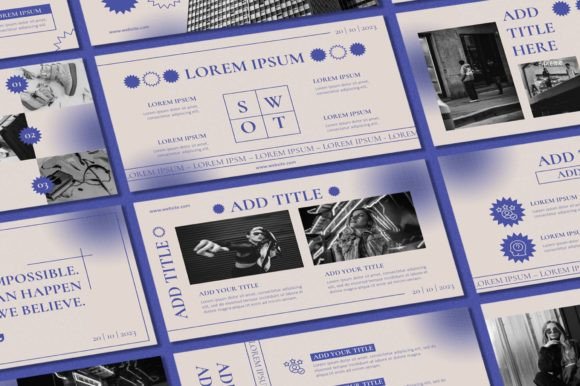
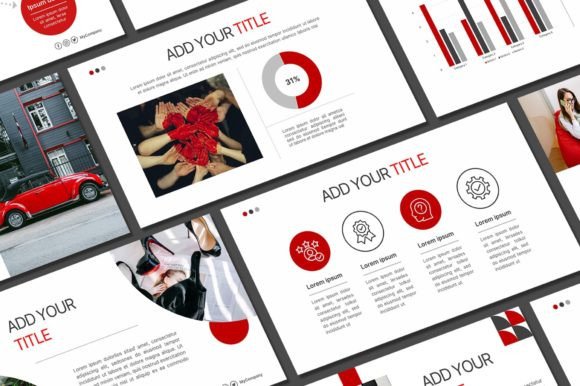
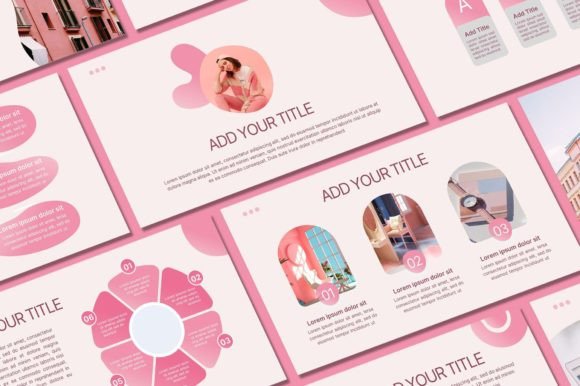
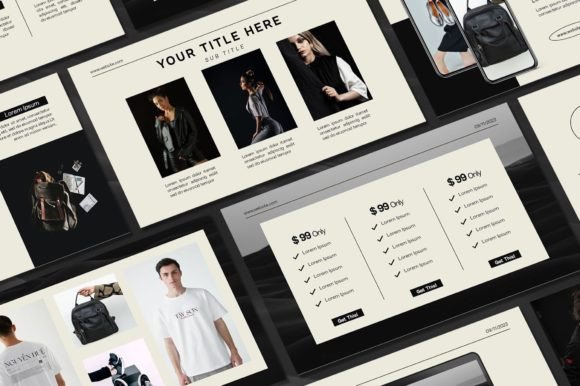
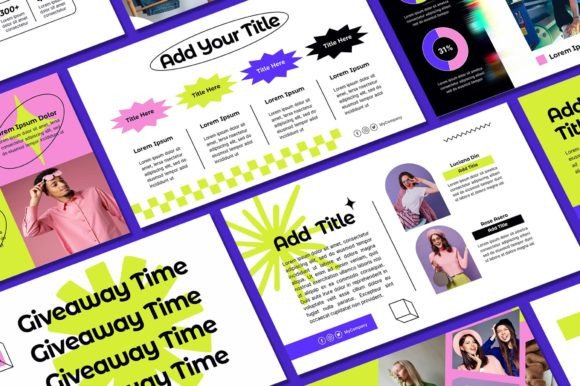
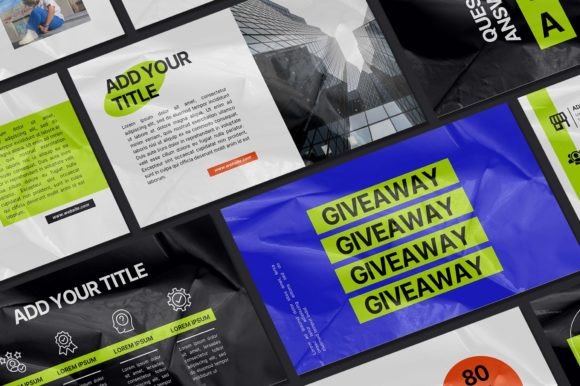
The Magezine Powerpoint Template is built on a foundation of modern, editorial design principles. Think of it less as a simple slide deck and more as a versatile visual system. With 56 unique slides, it provides a comprehensive framework for a wide array of projects. The design language is clean and contemporary, utilizing strong typographic hierarchy and balanced layouts that guide the viewer's eye naturally. This isn't about flashy animations or cluttered designs; it's about creating a professional, credible canvas for your content. The inclusion of over 400 free icons is a significant practical advantage, allowing you to visualize concepts, break up text-heavy sections, and add custom graphic elements without needing to source external assets.
A Practical Guide for Entrepreneurs and Creators
For a small business owner or entrepreneur, time is a precious commodity. The process outlined for using the Magezine template is designed to be straightforward and efficient. After purchase, you receive a PDF with a direct link to the Google Drive download. A crucial step often overlooked is installing the required fonts on your computer before opening the PowerPoint file. This ensures the design renders exactly as intended, preserving the careful typographic choices made by the designer. From there, the customization possibilities are extensive. You can adjust text and text colors, swap fonts to match your existing brand guidelines, modify background colors, and most importantly, integrate your own photography and logo. This level of editability transforms the template from a static design into a dynamic tool for building your brand identity.
From Presentation to Multi-Channel Marketing Asset
The true power of a resource like the Magezine Powerpoint Template lies in its adaptability across different mediums. While it's perfect for a investor pitch or a client workshop, its applications extend far beyond the conference room. Consider these practical uses for a designer or content creator:
- Social Media Graphics: Export individual slides as high-resolution images to create a consistent series of Instagram carousels, Pinterest pins, or Facebook ads. The built-in aspect ratio (16:9) is ideal for most digital platforms.
- Digital Lookbooks & Catalogs: For a crafter, artist, or product-based business, the magazine-style layouts are perfect for compiling a digital portfolio or product catalog to share with wholesalers or customers.
- Web Content & Blog Graphics: Use the slides as a foundation for creating featured images for blog posts, website banners, or even simple infographics that summarize key points.
- Print Materials: With careful export settings, elements can be repurposed for flyers, postcards, or one-page sell sheets, ensuring your print materials align with your digital presence.
- Internal Documents & Reports: Create professional quarterly reports, project plans, or team handbooks that reflect a high standard of visual communication within your organization.
Designing for Clarity and Impact
When working with any design asset, the goal is to enhance, not overwhelm, your message. The Magezine template's clean aesthetic is a strength here, but thoughtful application is key. Start by defining the core objective of your project. Is it to educate, persuade, or inspire? This will guide your choices. For a data-heavy presentation, prioritize slides with ample space for charts and bullet points. For a brand story, lean into the full-bleed image layouts.
Font pairing is another area where practical testing is invaluable. While the template includes suggested fonts, you may want to incorporate your brand's primary typeface. A good rule of thumb is to pair a serif with a sans-serif for contrast and readability. Ensure any custom fonts you install are legible at the sizes you'll be using, especially for body text. The ability to edit background colors is a powerful branding tool; use your brand's primary and secondary palette to create instant recognition. However, maintain sufficient contrast between text and background to ensure accessibility and ease of reading.
Understanding Your License and Finalizing Your Work
Before you dive into a major project, it's wise to understand the terms of use. The Magezine Powerpoint Template from Sky Creation is licensed for personal use. This means you are free to use it for your own projects, presentations, and internal business needs. You can customize it extensively to create unique materials for your brand. However, the license does not extend to reselling the template itself or redistributing it as a standalone asset to others. This is a standard and important consideration for any designer or business owner to be aware of when using third-party design assets.
Ultimately, the value of a resource like this is measured by the ideas it helps you bring to life. It's a toolkit that removes the friction of starting from scratch, allowing you to focus on your message, your story, and your audience. By combining the provided structure with your own creative vision and brand assets, you can produce professional, cohesive visual content that communicates with clarity and style. If you encounter any questions during the process, reaching out to the creator is a recommended step to ensure you get the most from your investment.